FMI 3
Import supportImport FMUs for Co-Simulation, Model Exchange, and Scheduled Execution.
Operational simulation software
Map how work moves through your system. Press Run to see where demand builds, queues grow, and staff get busy. Save each result so your team can compare what works.
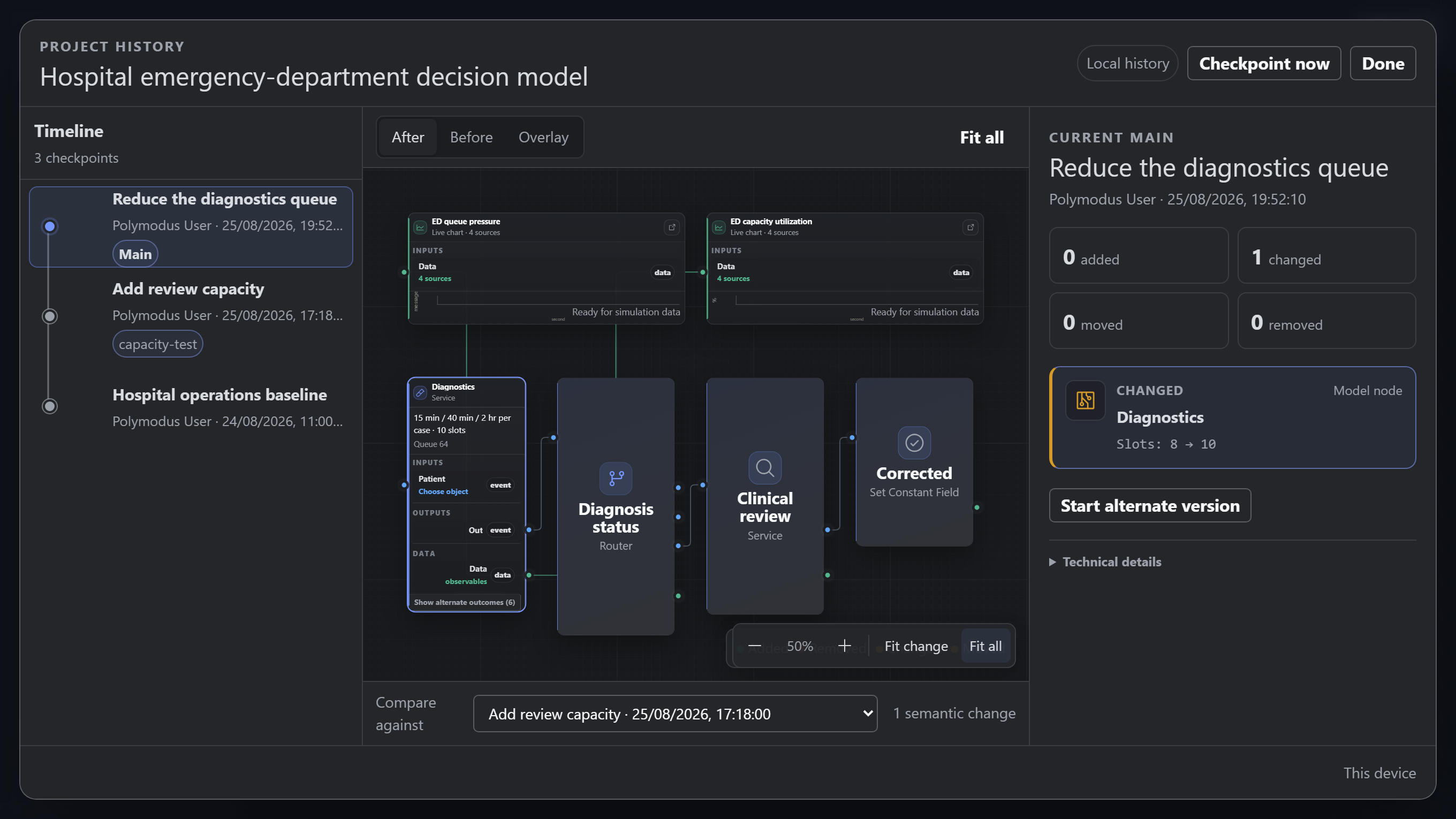
Scenario comparison
Save a checkpoint before you change anything. Try a different staffing level, route, or rule, then compare the results or reopen an earlier version.
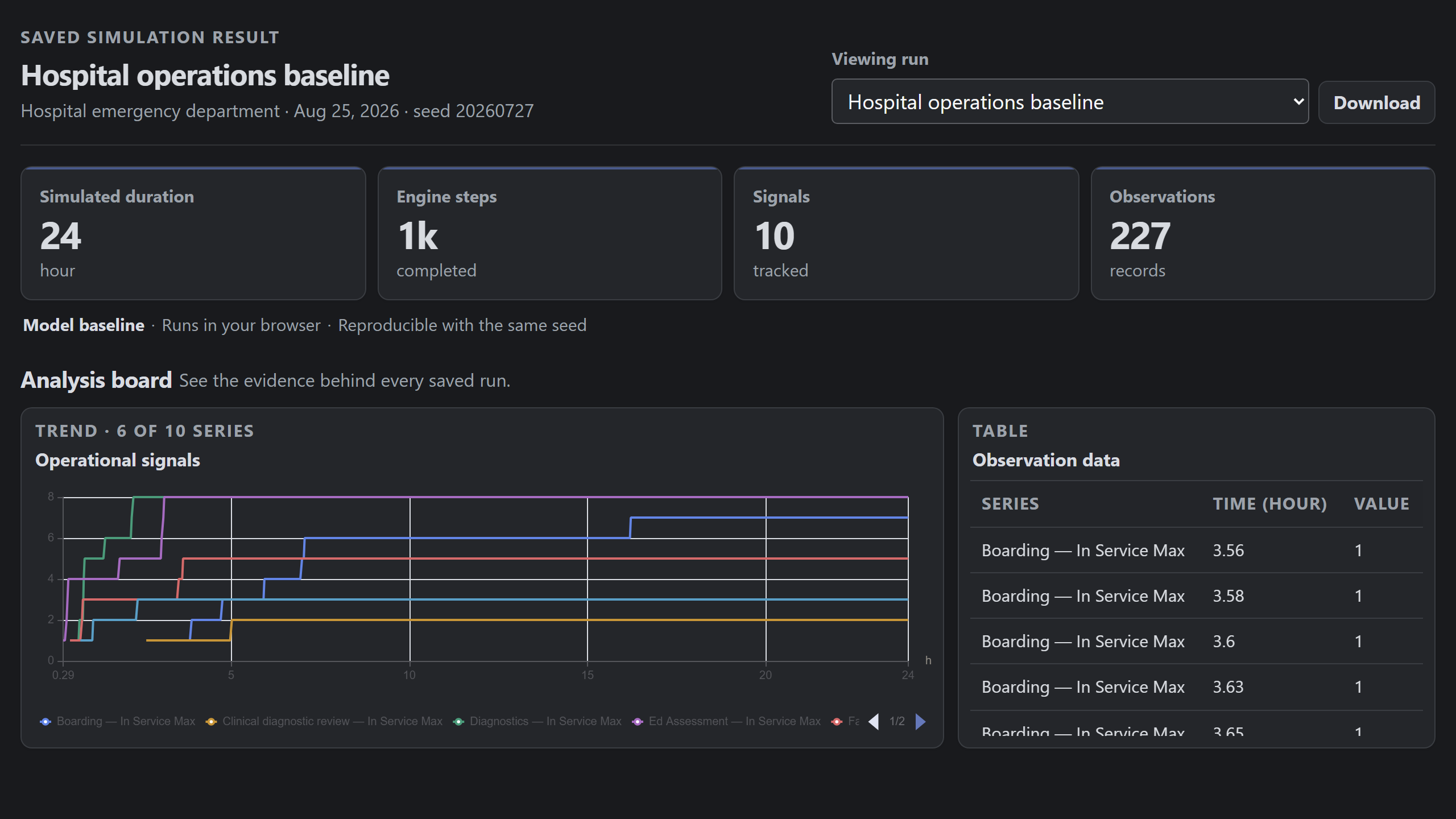
Saved results
Open a saved run to see its totals, trends, and observations. Export the result data or reopen the model version and run configuration that produced it.
Formats and runtimes
Import FMI models, exchange SSP system structures, run supported workloads in the browser, and package releases with SBOMs, digests, provenance, and verification records.
Import FMUs for Co-Simulation, Model Exchange, and Scheduled Execution.

Import and export SSP system structures, component topology, and parameter sets.

Generate SBOMs alongside artifact digests, build provenance, release attestations, and verification records.

Run supported simulation workloads locally in the browser through the packaged WebAssembly engine.
Data and messaging
Use messaging transports for live inputs and outputs, tabular files for source data, and existing infrastructure for project storage.
Exchange simulation inputs and outputs with running systems and message brokers.
Version projects in Git and persist hosted state in PostgreSQL and Cloudflare R2.
Import operational source data from CSV and Excel workbooks.
Project controls
Roles, identity events, project revisions, engine versions, and artifact digests record who changed a project and which version ran.
Assign owner, editor, and viewer permissions per project.
Record project and identity events in a queryable audit log.
Authenticate with Google or Microsoft through OpenID Connect.
Store engine, project, model, and package identities with each run.
Record content digests, build provenance, and verification results for releases.
Run supported models in the browser or a native runtime. Hosting is optional.
This list describes product controls and interfaces. It does not represent an organizational certification.
Accounts
Polymodus works locally without an account. Google sign-in is optional. If you sign in, Polymodus receives your name, email address, and profile image to create or identify your account. It does not request access to Gmail, Google Drive, or Google Calendar.